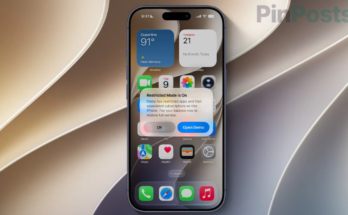
Another day, another iOS 27 headache. I actually ran into a version of this exact issue before iOS 27 even had its official release.
I had installed the iOS 27 RC, the final release candidate of the public beta, before Apple pushed out the stable update. I had plugged a Type-C to AUX adapter into my iPhone to listen to some music, and out of nowhere my screen locked up completely, unresponsive to any taps or swipes.
At the time I figured it was just a beta bug that would get ironed out before the official launch. But after Apple released iOS 27 to everyone, I found out this exact freeze issue is still very much present in the stable release.
If your iPhone running iOS 27 suddenly stopped responding to taps and swipes, you have likely run into this exact bug, and it has been spreading fast as a prank people are pulling on friends and family.
What Is the iOS 27 Freeze Bug
This is a real software bug in iOS 27 that causes your iPhone’s interface to lock up temporarily. It is not a hardware issue and it does not damage your phone permanently, but it is genuinely unsettling the first time it happens to you, especially if someone else triggers it on your phone as a prank.
The Exact Gesture That Triggers It
Here is exactly how it happens, and honestly it is unsettling how easy this is to trigger by accident.
- Swipe down from the top left corner of your screen to open Notification Center.
- Immediately swipe down from the top right corner to open Control Center, before the first swipe animation even finishes.
- Dismiss Control Center.
That’s it. Doing this quickly enough locks up the interface almost every time.
What Happens When Your iPhone Freezes
Once triggered, here is what you will notice. The Camera and Flashlight buttons on your lock screen get stuck at the top of the screen. You cannot swipe between your home screens anymore.
Tapping on icons and buttons stops registering reliably, sometimes not at all. Even holding down the side button to bring up the power-off slider does nothing.
I tried tapping around for almost a minute before I realized this needed a proper restart, not just patience.
How to Fix an iOS 27 Frozen iPhone
Do not panic, and you do not need to wait for your battery to die. Here is the exact force restart sequence that fixes it quickly.
- Press and quickly release the Volume Up button.
- Press and quickly release the Volume Down button.
- Press and hold the Side button until you see the Apple logo appear on your screen.
Your iPhone will shut down and restart on its own. Once it boots back up, everything works normally again.
Is This Bug Dangerous or Permanent
No. This is a temporary software soft-lock, not a permanent brick. Force restarting your iPhone does not erase any of your data, delete your photos, or reset any of your settings.
It is genuinely just a frozen interface that needs a reboot to clear, similar to how your computer sometimes needs a restart after freezing up.
That said, I would avoid triggering this bug on purpose repeatedly, since we do not know for certain if Apple will patch this with unintended side effects if you are constantly force restarting your device.
Frequently Asked Questions
Here are quick answers to the most common questions about this bug.
Does this bug erase my iPhone data?
No. Force restarting your iPhone using the steps above does not erase any data, photos, or settings. It only clears the temporary freeze.
Which iPhones are affected by this iOS 27 freeze bug?
This appears to affect any iPhone running iOS 27, since it is tied to the Notification Center and Control Center gesture interactions rather than specific hardware.
Has Apple responded to this bug?
Apple has not released an official statement about this specific freeze bug as of publishing this guide. Given how quickly it has gone viral, a fix through a future iOS 27 update is likely.
Also Read: iPhone 18 Pro Randomly Restarting? Here’s What’s Going On
That is everything you need to know about the iOS 27 freeze bug. If someone pranks you with this, now you know exactly how to fix it in ten seconds instead of panicking.